ACCESS Homeschool App and Responsive Website

A Case Study

By Tony Coombes

Overview

The Product

ACCESS Homeschool’s app and website were designed to cater to parents who want to homeschool their children but need support and a guiding hand.

Project Duration

November 9th, 2022 –November 25th, 2022

The Problem

More and more parents and guardians want to homeschool their children but too many lack the resources and know-how to get the process started, much less maintain it.

The Goal

Create and app and website to help parents/guardians discover their options for homeschooling and create a community of support.

My role

Project manager, Lead UX Designer, Lead Researcher

Responsibilities

Project concept, user research, wireframing, prototyping, etc.

Understanding the user

User Research: Summary

After interviewing a few parent’s whose goal is to homeschool their children, I created a research plan based off their needs/wants for an app to assist them in their journey to do so. Many of them want to homeschool their kids for different reasons, but don’t feel like they have the time or resources necessary to accomplish this. Public school is “free” but homeschooling requires an investment of time and money. They want a solution to help them solve this issue so they can prioritize their children’s education.

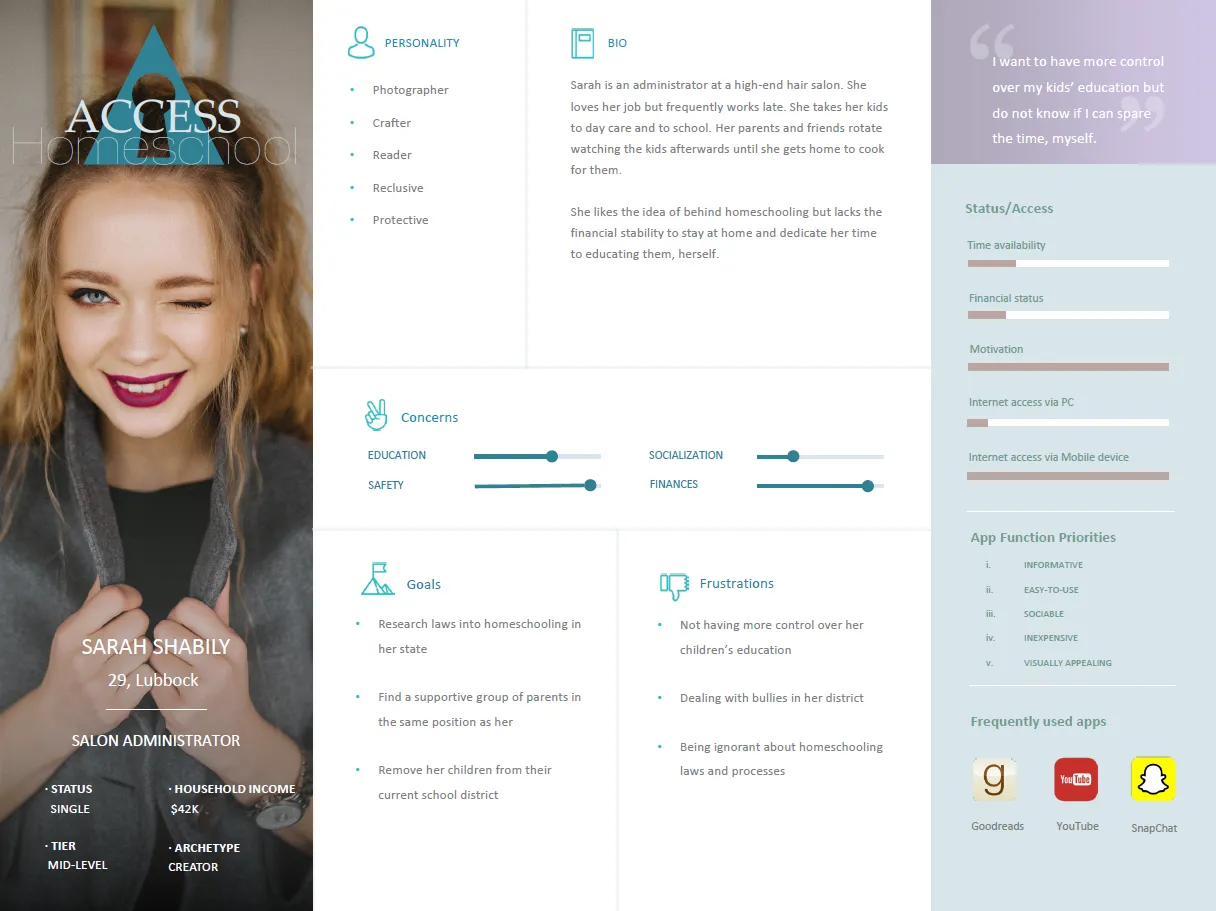
Persona: Sarah

Problem statement:

Sarah is a single mother who needs information on homeschooling because she is concerned for the safety of her kids in public school.

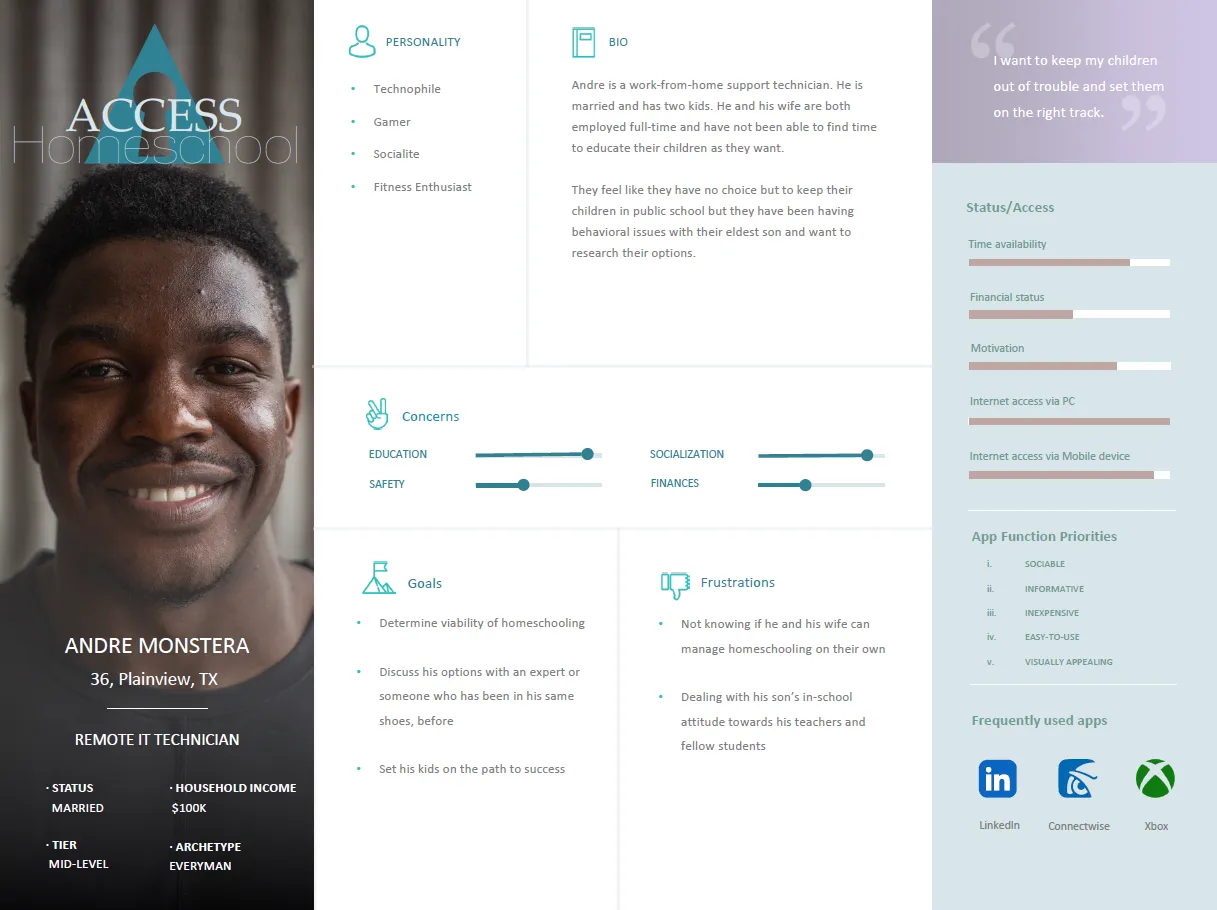
Persona: Andre

Problem statement:

Andre is a father of three who needs information on homeschooling because his son is exhibiting behavioral problems in school.

Competitive audit

An audit of a few competitor’s products provided a plethora of opportunities for ACCESS Homeschoool to capitalize on.

To view the audit in PDF format, please click the button, below:

Competitive Audit
Lorem Ipsum is simply dumy text of the printing typesetting industry lorem ipsum.

Starting the design

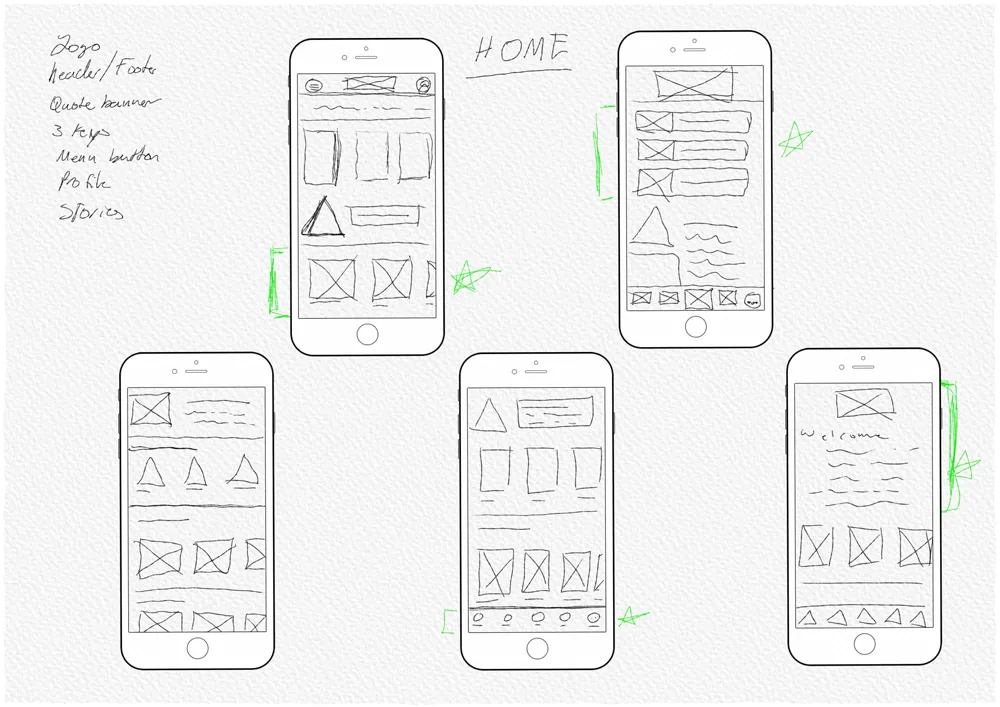
Paper Wireframes

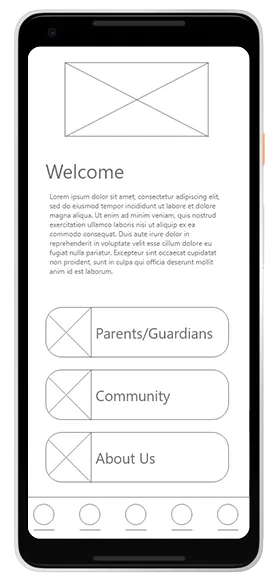
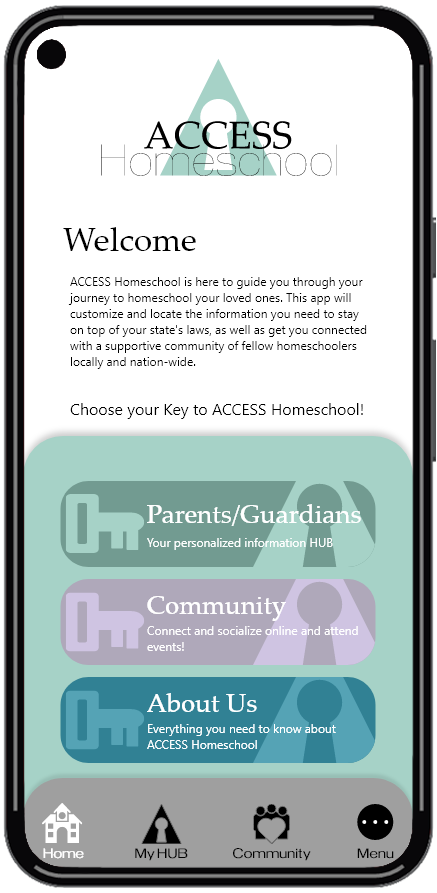
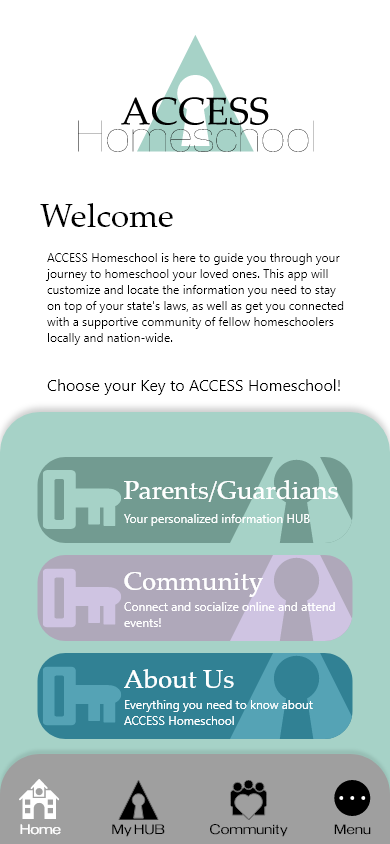
I wanted a way to display the 3 “Keys” to ACCESS Homeschool right on the front page. I quickly drafted 5 paper wireframes to determine the best way to present this idea.

Paper Wireframes

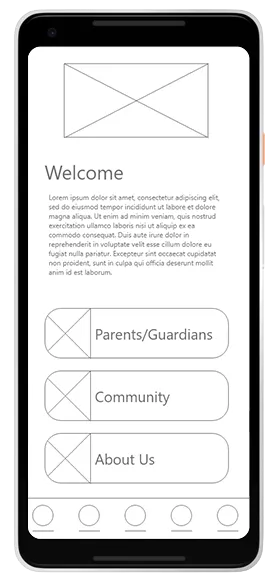
I want the user to open the app and know what ACCESS Homeschool is about. Presenting these two features at the open is integral to getting the user engaged.

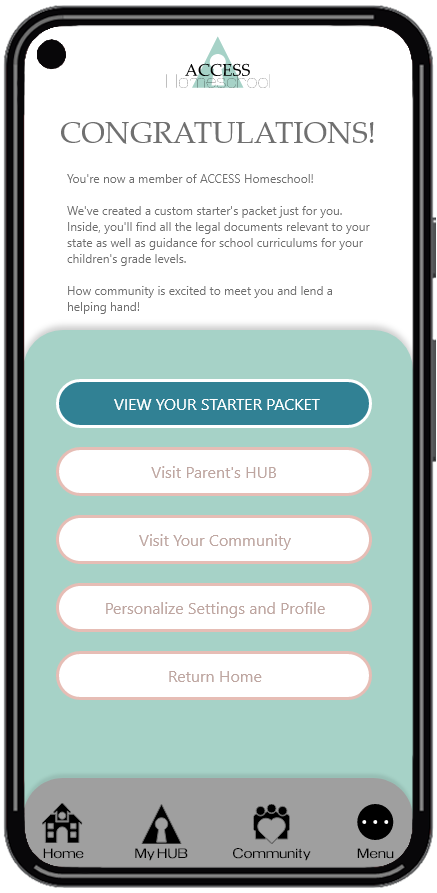
I also want the users to be aware of the benefits of membership and why their data input is important. This screen is a summary of that once their profile is created.

A quick welcome message to let the user know the primary point of and reason for this app.

The 3 “Keys” to ACCESS Homeschool
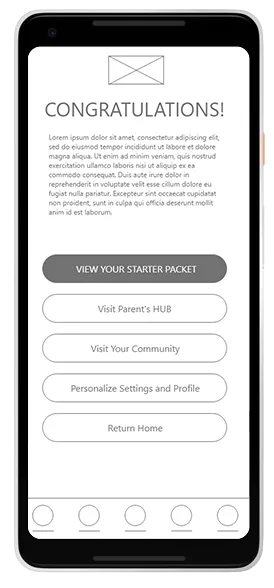
A brief description of the benefits of membership

User’s customized info based on the data they input during the profile creation page
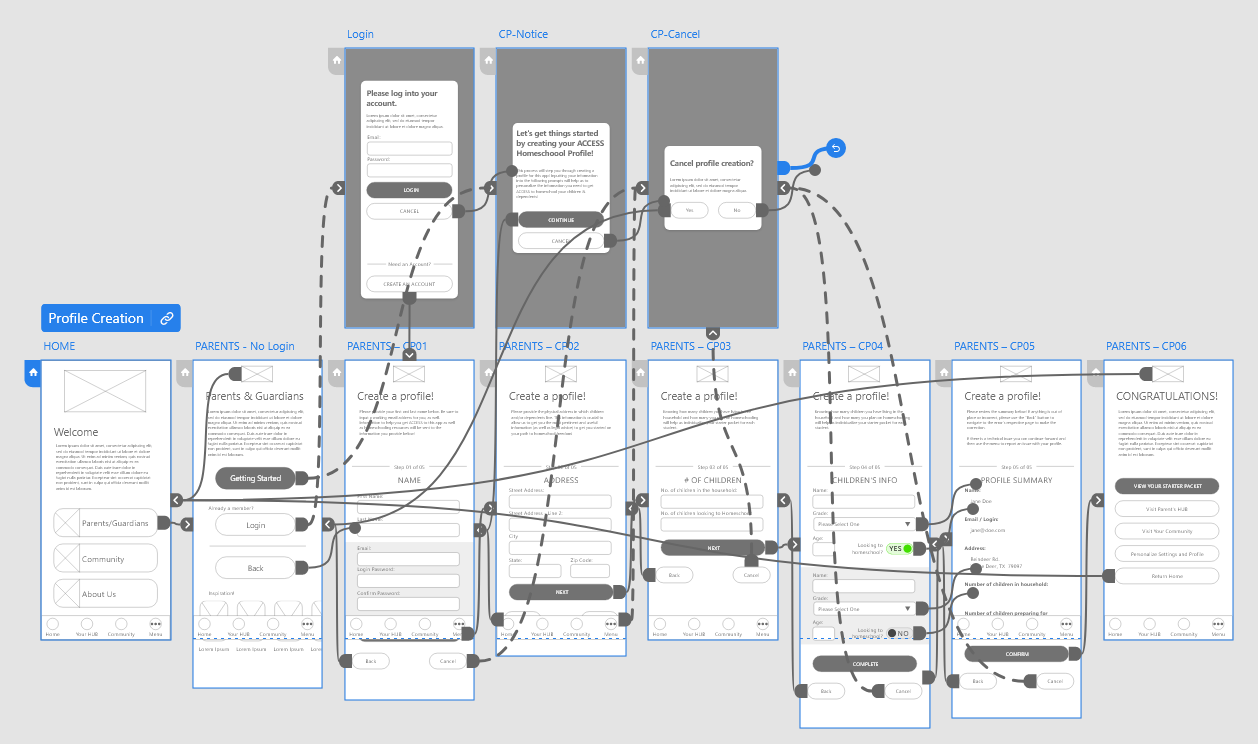
Low-fidelity Prototype

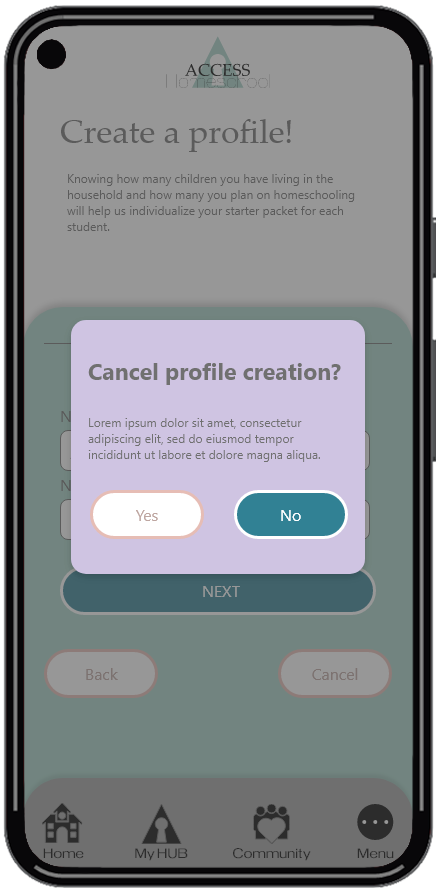
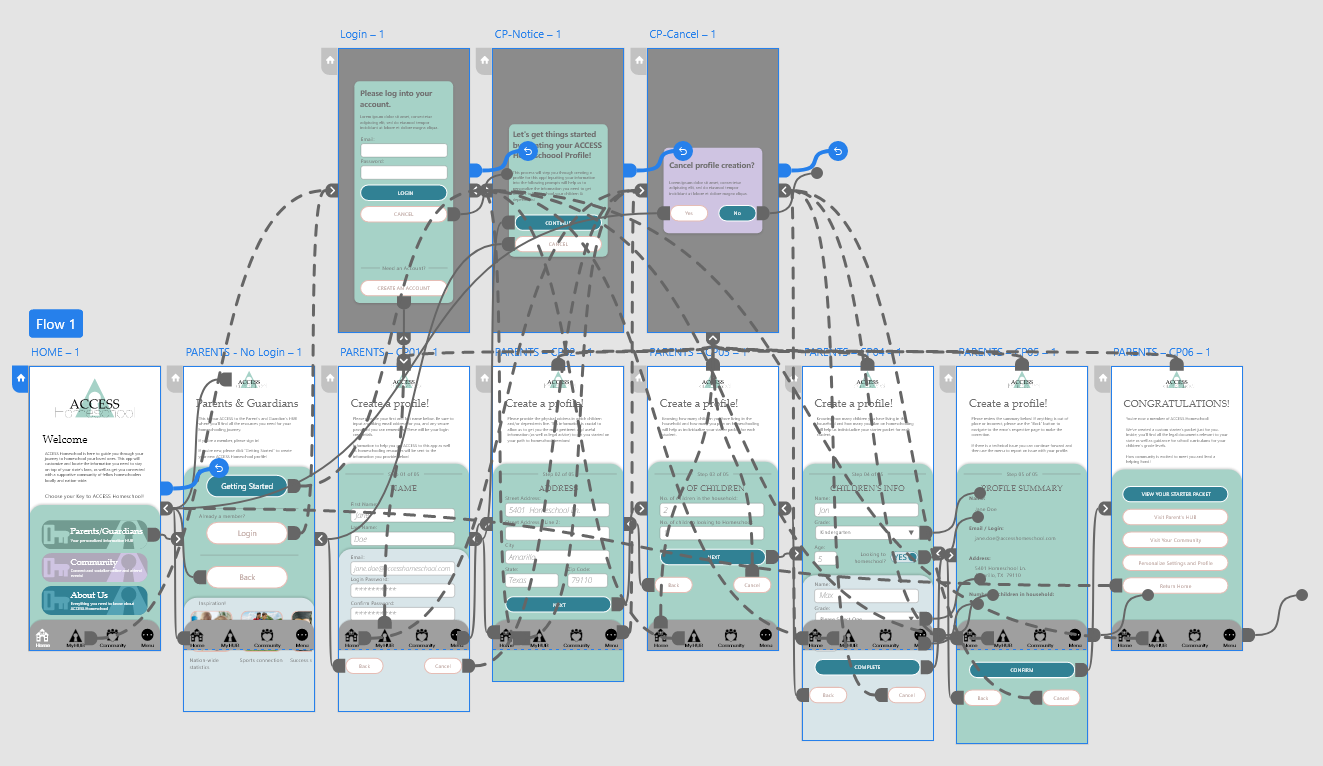
After the usability research iterations, this flow steps the user through the profile creation process.

View ACCESS Homeschool’s profile creation flow by clicking the button, below!

Low-fi Prototype
Lorem Ipsum is simply dumy text of the printing typesetting industry lorem ipsum.

Low-fidelity Prototype

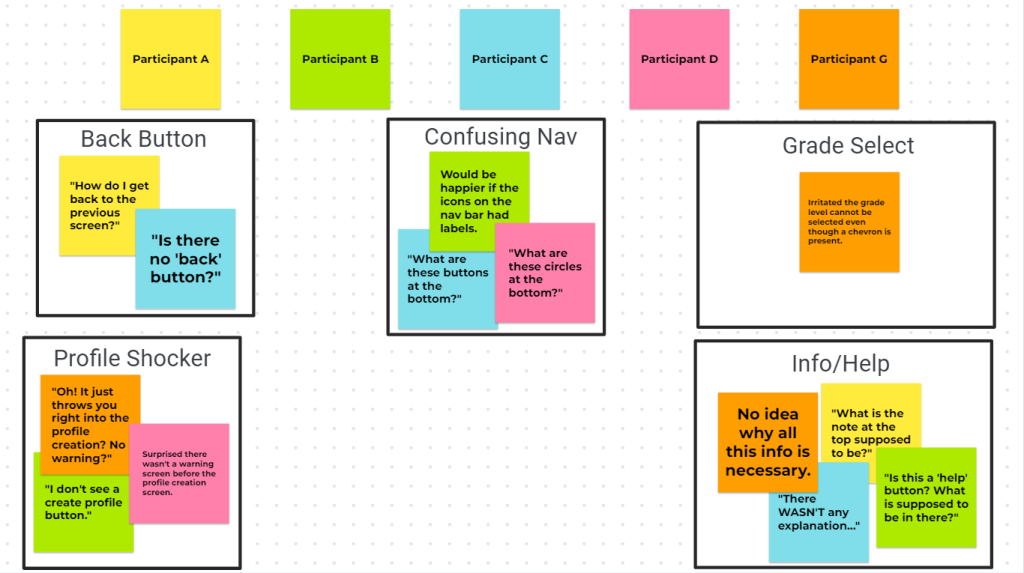
I was able to identify common themes and base my next iterations off them.

Usability study: findings

Five primary points of concern were discovered during the usability study. They have been detailed, below.

Round 1 Findings

Refining the design

Mockups

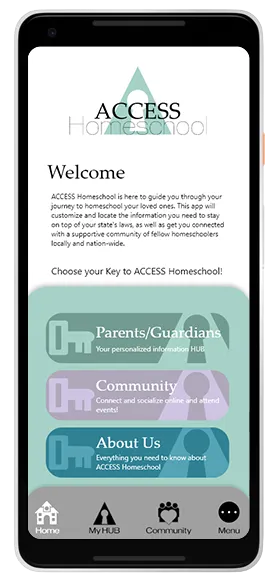
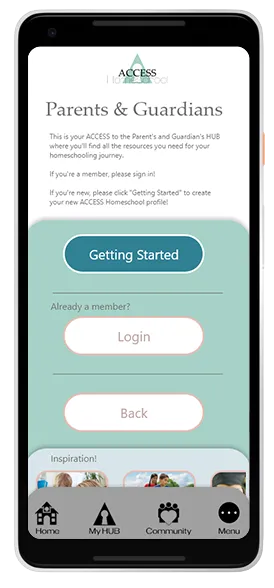
Based on the insights from the usability study I redesigned the navigation bar and included text with the icons.

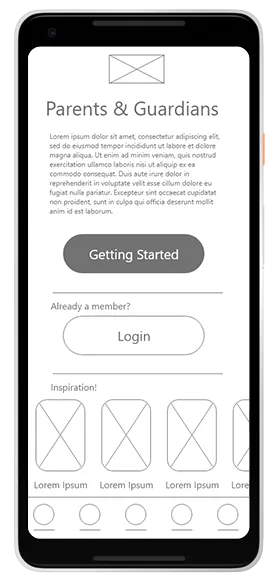
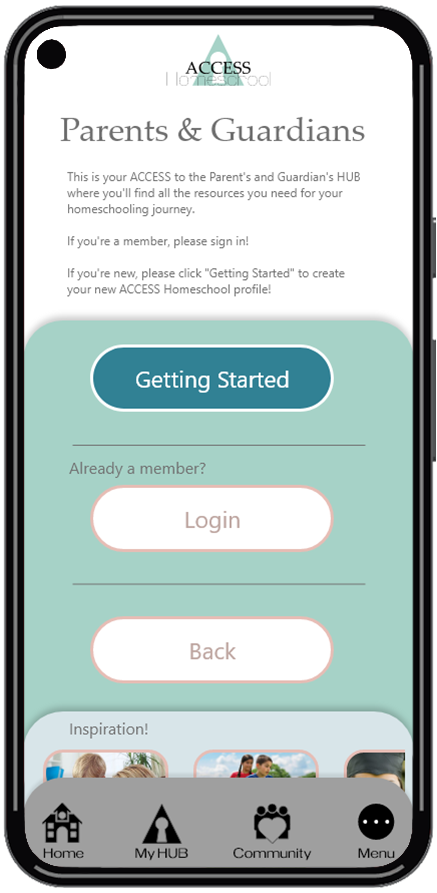
I also added a “back” button to the Parents & Guardians page by request during the usability study.

After
Before
After
Before

High-fidelity prototype

The high-fidelity prototype followed the same user flow as the low-fidelity prototype, including design changes made after the usability study.

View the ACCESS Homeschool high-fidelity prototype.

High-Fi Prototype
Lorem Ipsum is simply dumy text of the printing typesetting industry lorem ipsum.

Accessibility considerations

Pinch & spread functionality on the mobile design to change font size will help multiple users with visual challenges.

The high-contrast design across the platforms will help with visibility for all.

Responsive design

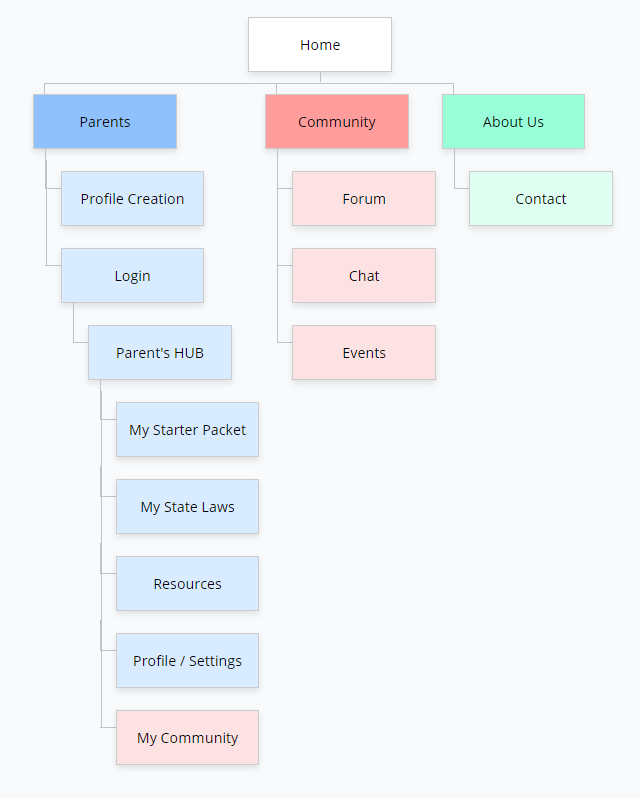
Sitemap

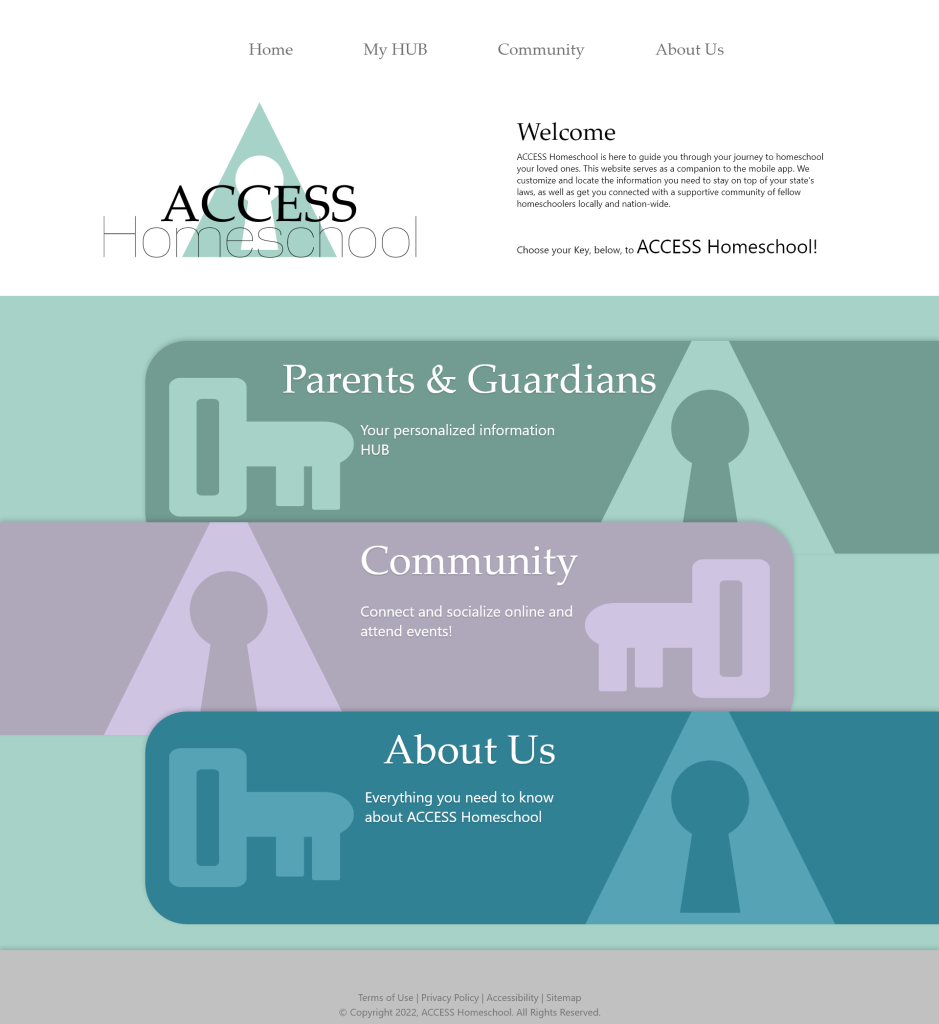
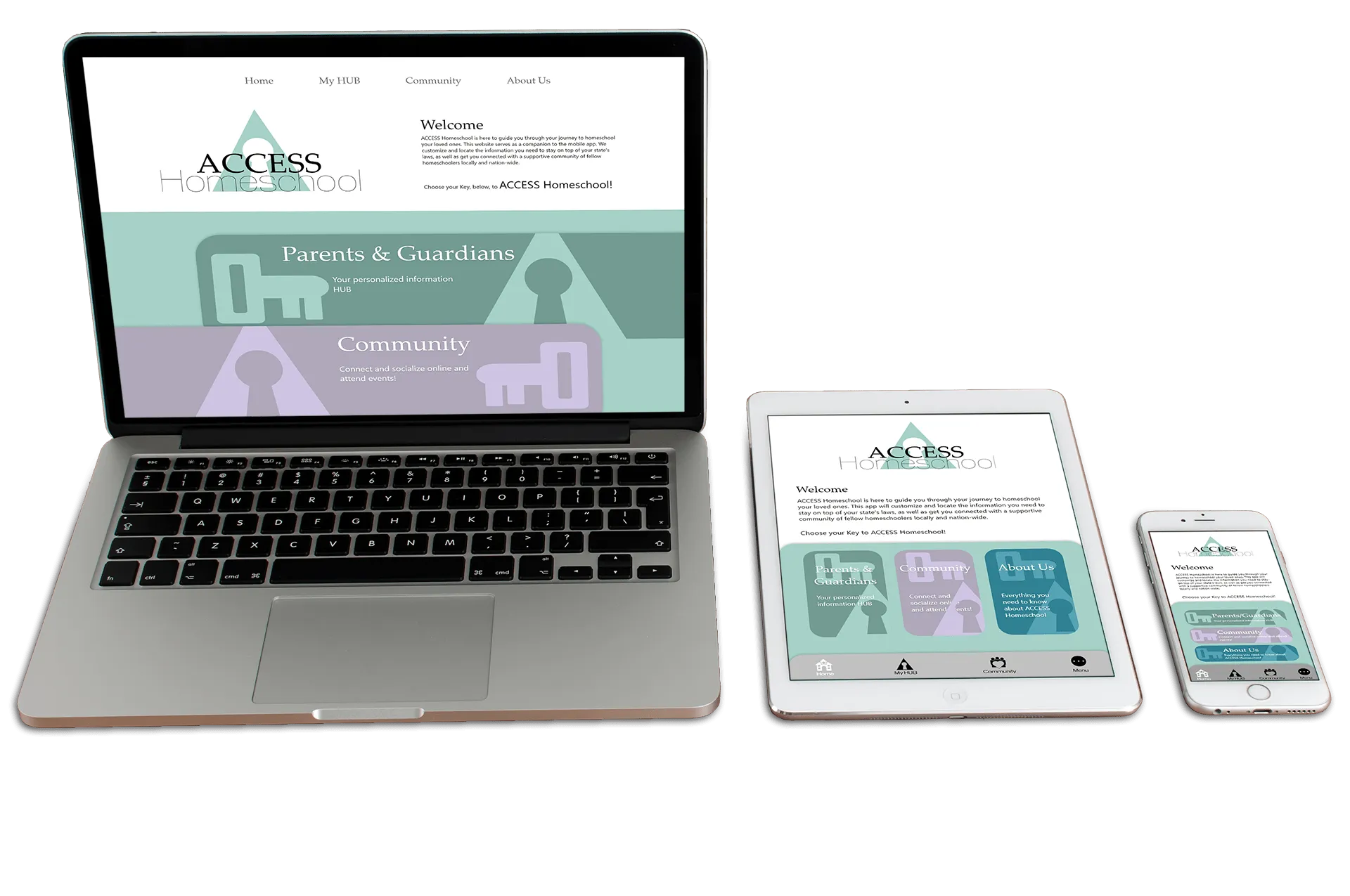
After the app was complete, I began work on the responsive website. I used the ACCESS Homeschool information architecture to guide the website’s design and ensure cohesion between the platforms.

The designs for screen size variation included mobile, tablet, and desktop. I optimized the designs to fit specific user needs of each device and screen size.

Going forward

Takeaways

IMPACT: From March 2020 to March 2021 homeschool numbers doubled! While that number dropped 16% in 2022 due to schools relaxing COVID restrictions, it numbers are still much higher than pre-pandemic USA. This app will greatly benefit those that want to join that movement and help them prioritize their child’s education!

WHAT I LEARNED: I learned each project is its own animal. Design solutions you learn for one project may not apply for the next. Constant growth as a UX Designer is an absolute must! There is zero room for stagnation of one’s skills, knowledge and abilities.

WHAT I ALSO LEARNED: Ideas keep coming! If you allow, new ideas will flood your current project and lock down your progress. You need to learn to prioritize: write new ideas down, revisit them later, but complete your current mission.

Next steps

Conduct research on how successful the app is in helping parents transition to a homeschool model.

Collect and review all user input through the reporting system integrated in the app.

Research laws and communities in other countries to see if this would be useful overseas.

Reach Out!

My contact information is listed below in the footer of this page. Feel free to contact me in whichever method you prefer. I’d LOVE to hear from you!!

Thank you for taking the time to review this case study!

Thank you for visiting my portfolio! I am eager to hear your thoughts & ideas, as well as your criticism and advice! Please take the time to reach out and hit me with your thoughts.

  •